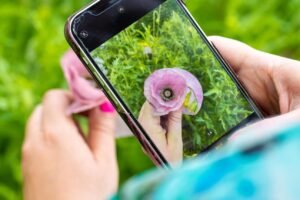

10 Easy Mobile Photography Tips for Beginners
Mobile photography has become an important part of our daily lives. People use smartphones to capture beautiful landscapes, family moments, food, and travel experiences. Today, you do not need an expensive DSLR camera to take attractive pictures.
A smartphone with a decent camera can produce beautiful photographs when used correctly. However, taking a good photo is not only about having a powerful camera. Lighting, composition, focus, and creativity also play important roles.
If you are new to photography, these 10 easy mobile photography tips for beginners will help you improve your photography skills without buying expensive equipment.
Why Is Mobile Photography Popular?
Mobile photography is popular because smartphones are easy to carry and simple to use. Almost everyone has access to a mobile phone, making photography more affordable.
Students, travelers, social media creators, and small business owners use mobile photography for different purposes. Smartphones also provide useful features such as portrait mode, night mode, and photo editing.
With regular practice, beginners can learn how to take better photos using their phones.
10 Easy Mobile Photography Tips for Beginners
1. Clean Your Camera Lens
One of the simplest mobile photography tips is to clean your camera lens before taking pictures.
Dust, fingerprints, and oil can make photos look blurry or unclear. Use a soft microfiber cloth to gently clean the lens.
This small habit can improve image clarity and help you capture sharper photographs.
Pixel Camera Help
2. Use Natural Lighting

Lighting is one of the most important elements of photography. Good lighting makes your subject clear and improves the colors in your picture.
For outdoor photography, try taking photos during the golden hour, shortly after sunrise or before sunset.
Avoid harsh midday sunlight when taking portraits because it can create strong shadows on faces.
For indoor photography, stand near a window to use soft natural light.
3. Follow the Rule of Thirds.
The rule of thirds is a simple photography technique that improves photo composition.
Most smartphones provide a camera grid option. Turn on the grid to divide your screen into nine equal sections.
Instead of always placing your subject in the center, try positioning it along the grid lines or near their intersections.
This technique can make your photos look more balanced and interesting.
4. Focus on Your Subject
A clear subject is important for a good photograph. Before taking a picture, tap your phone screen on the object or person you want to focus on.
Your camera will adjust its focus to make the selected subject appear sharper.
For example, when photographing a flower, tap the flower on your screen before pressing the shutter button.
Proper focus helps create professional-looking photographs.
5. Avoid Using Digital Zoom
Digital zoom can reduce photo quality, especially on smartphones without a dedicated zoom lens.
Instead of zooming too much, move closer to your subject when it is safe and practical.
You can also take a photograph using the main camera and crop it later.
Using the main camera at its normal zoom level often provides better image quality.
6. Keep Your Phone Steady
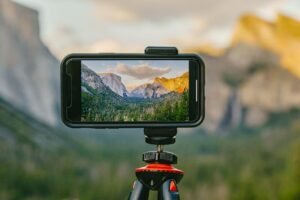
Camera movement can cause blurry photographs, especially in low-light conditions.
Hold your smartphone with both hands and keep your arms steady while taking pictures.
You can also use a small tripod or place your phone on a stable surface.
This technique is particularly helpful for night photography and landscape photography.
7. Try Different Camera Angles
Taking every photograph from eye level can make your pictures look ordinary.
Experiment with different angles to make your photography more creative.
For example, take a low-angle photograph of a building or capture a flower from above.
Changing your position can create a completely different view of the same subject.
Creative angles help make simple photographs more attractive.
8. Use Portrait Mode
Portrait mode is a useful smartphone camera feature for photographing people and certain objects.
It can create a blurred background while keeping the main subject clear.
This effect helps the subject stand out and gives photographs a professional appearance.
For better results, choose a simple background and use good lighting. Remember that portrait mode quality varies between smartphones.
9. Edit Your Photos Carefully
Photo editing can improve the final appearance of your pictures.
Beginners can use mobile editing applications such as Snapseed, Lightroom Mobile, or their phone’s built-in photo editor.
Adjust brightness, contrast, shadows, and colors to improve your images.
However, avoid excessive editing because it can make photographs look unnatural.
The goal of editing should be to improve the picture while maintaining its original beauty.
10. Practice Photography Every Day
Practice is one of the best ways to improve mobile photography skills.
Try photographing different subjects such as mountains, flowers, streets, buildings, and people.
Experiment with lighting, camera angles, and composition.
You can also compare your older photographs with your new ones to understand your progress.
Regular practice will help you develop creativity and confidence.
Common Mobile Photography Mistakes
Beginners often make simple mistakes that affect the quality of their photographs.
Some common mistakes include using too much digital zoom, taking pictures in poor lighting, ignoring the background, and overediting photographs.
Another common mistake is taking pictures without checking the focus.
By avoiding these mistakes, beginners can improve their photography skills and produce better results.
https://support.google.com/pixelcamera/answer/6164997?sjid=14604946449430042862-EU